Article
A growing Shopify store should use apps for standard needs, but custom development when performance, workflow, branding, or control starts to suffer.
Learn when Shopify apps are enough and when custom development is better for workflows, performance, design control, checkout, SEO, and growth.
When a Shopify Store Needs Custom Development Instead of More Apps
Shopify apps are useful. They help store owners add reviews, filters, subscriptions, popups, bundles, loyalty programs, shipping rules, upsells, analytics, and many other features without building everything from scratch. That is one reason Shopify is popular. A store can start simple and extend features quickly. But there is a point where adding more apps stops helping. The store becomes slower. The design starts to feel inconsistent. The admin becomes harder to manage. The same type of script loads across multiple pages. Features almost work, but not exactly how the business needs. The team keeps installing apps to solve small problems, and the store becomes more complicated each month. That is when custom Shopify development becomes worth considering. Custom development is not always the answer. Many apps are valuable and should be used when they solve the right problem. But a growing Shopify store needs to know the difference between a feature that should be handled by an app and a feature that should be built properly into the theme or workflow.
The Real Problem Is Not Apps
The problem is not that apps exist. The problem is app dependency without planning. A Shopify app should solve a clear business need. It should fit the store, support the customer journey, and be easy to manage. It should not be added just because the current theme cannot show one section or because a small design change feels easier through an app. Apps become a problem when they are used as shortcuts for everything. For example, a store may install one app for a product badge, another for a comparison table, another for trust icons, another for tabs, another for a sticky add-to-cart bar, and another for a custom FAQ section. Each app may look small. Together, they can create a heavier store, more settings, more scripts, more monthly costs, and more things that can break. A better approach is to ask: Should this be an app, a theme section, a custom feature, or a workflow improvement?
When Apps Make Sense
Apps are often the right choice when the feature is complex, operational, or maintained by a specialized provider. For example, apps can be useful for:
- Customer reviews
- Email marketing
- Loyalty programs
- Subscriptions
- Advanced shipping rules
- Product filtering
- Live chat
- Analytics
- Returns management
- Affiliate programs
- Complex discount campaigns These features often need dashboards, integrations, compliance, updates, and ongoing support. Building them custom may not make sense for most stores.
Good App Use
A good Shopify app usually has a clear purpose. It should:
- Solve a real business problem
- Work well with the theme
- Avoid unnecessary scripts
- Be easy for the team to manage
- Have useful support and documentation
- Not damage the customer experience
- Justify its cost and complexity The app should make the store easier to run, not harder.
When More Apps Become a Problem
A store may need custom development when apps start creating more friction than value. This usually happens in a few common situations.
1. The Store Is Getting Slower
Performance is one of the biggest signs that the store needs a better development approach. Shopify stores can become slower when too many apps add scripts, widgets, popups, trackers, sliders, badges, or hidden code. Some apps load on every page even when the feature is only needed in one place. A slower store can affect browsing, product discovery, cart behavior, and customer trust.
Signs to Watch
You may have an app-related performance problem if:
- Product pages feel heavy
- Collection pages take too long to load
- The cart feels delayed
- Mobile browsing feels slow
- Popups or widgets appear late
- Unused app code remains after uninstalling apps
- Multiple apps add overlapping scripts
Custom Development Option
If the feature is mostly visual, custom theme development may be cleaner. For example, instead of using an app for product highlight cards, a custom Shopify section can display the same content with less overhead and better design control. Custom development can also help remove unused code, clean theme structure, and reduce unnecessary third-party scripts.
2. The Design Looks Inconsistent
A common issue with multiple Shopify apps is design mismatch. One app uses different buttons. Another uses different fonts. Another adds spacing that does not match the theme. Another displays a widget that looks like it belongs to a different website. The result is a store that feels patched together. For ecommerce, consistency matters because it builds trust. A customer should feel like every part of the store belongs to the same brand.
Custom Development Option
Custom Shopify sections can keep the design consistent. Instead of using separate apps for small visual blocks, a developer can create branded sections such as:
- Product benefit blocks
- FAQ sections
- Comparison tables
- Trust badge rows
- Ingredient or specification sections
- Image and text storytelling blocks
- Testimonial layouts
- Collection page intro sections
- CTA sections These sections can be editable from the Shopify theme editor while still following the brand’s design system.
3. The Theme Settings Are Too Limited
Shopify themes are useful, but every theme has limits. A theme may let you change colors, upload banners, rearrange some sections, and edit product templates. But it may not support the exact structure your brand needs. For example, your store may need:
- Different product page layouts for different product types
- A custom size guide section
- Product-specific FAQs
- A comparison block on selected products
- Collection pages with buying guide content
- More flexible landing pages
- A custom cart message
- Better mobile section control If the current theme cannot support these needs, adding apps may only create workarounds.
Custom Development Option
A Shopify developer can extend the theme with custom templates, custom sections, metafields, and Liquid logic. This keeps the store easier to manage because the custom structure belongs to the theme rather than being scattered across multiple apps.
4. The Store Needs Custom Workflows
Some business needs are not just visual. They are workflow-related. For example:
- A product requires custom information before purchase
- A B2B customer needs a different buying path
- A product needs special delivery messaging
- Certain products need different content fields
- A team needs structured product data in the admin
- Orders need to trigger specific follow-up processes
- A store needs data passed into another system
- A custom form needs to connect with operations Apps may solve parts of these problems, but not always cleanly.
Custom Development Option
Custom development can help when the store needs a workflow that matches the business. This may involve:
- Custom theme logic
- Metafields
- Custom product templates
- API integrations
- Automation workflows
- Custom storefront behavior
- Structured content setup The goal is to make the store match the way the business actually works, not force the business into random app settings.
5. Product Pages Need More Structure
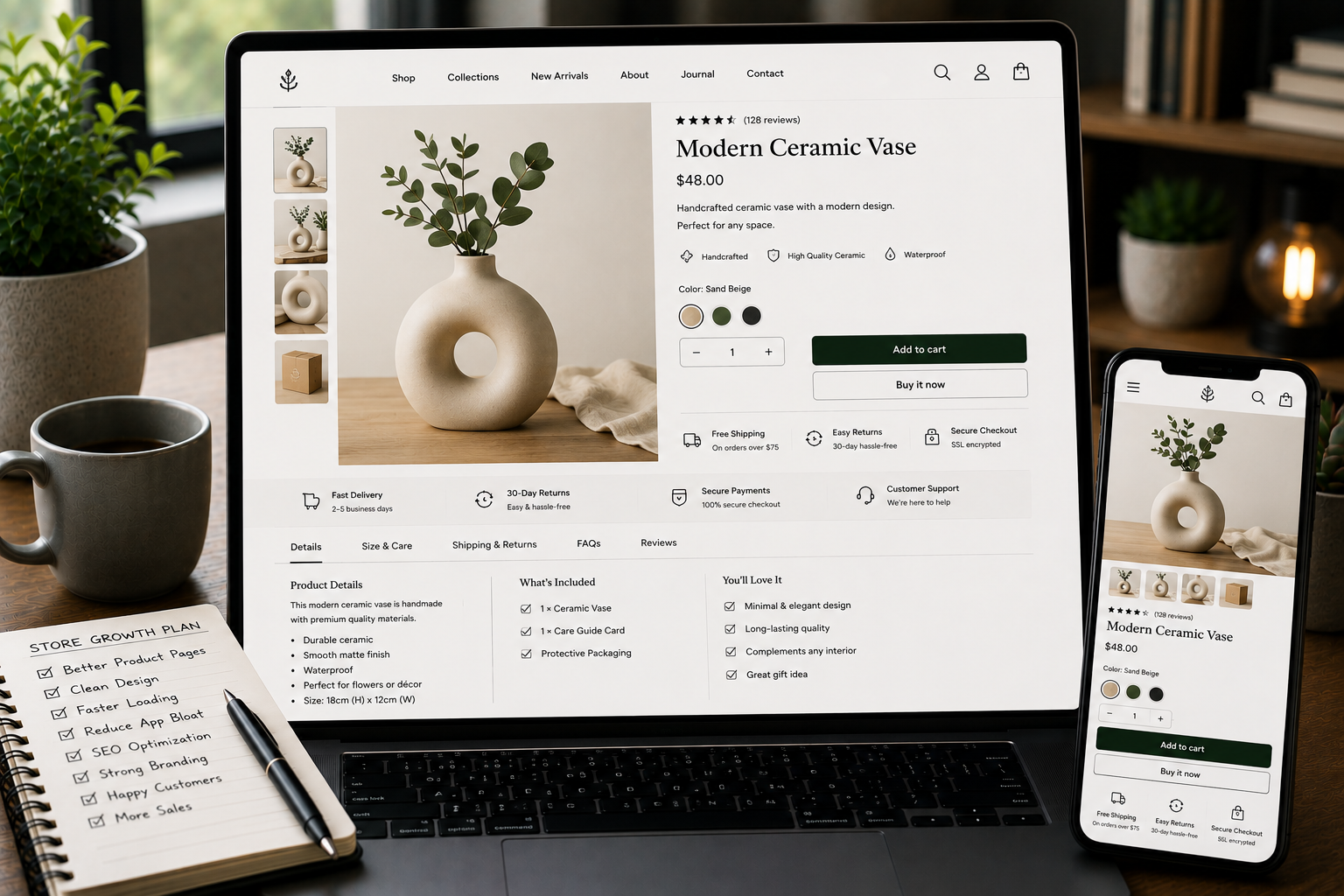
Product pages often start simple. A title, image, price, variants, description, and add-to-cart button may be enough at first. But as the store grows, product pages may need more content. For example:
- Key benefits
- Product specifications
- Compatibility details
- Materials
- Care instructions
- Shipping notes
- Return information
- FAQs
- Comparison content
- Related guides
- Trust sections Putting all of this inside one long product description can become messy.
Custom Development Option
Custom Shopify development can create structured product sections using metafields and templates. This allows the team to manage product-specific content clearly. For example, each product can have fields for:
- Highlight text
- Technical details
- Use cases
- FAQ items
- Delivery notes
- Warranty information
- Related content This makes product pages easier to update and more useful for customers.
6. SEO Needs More Control
Shopify supports basic SEO settings, but store owners still need good structure. SEO is not only meta titles and descriptions. It also includes collection content, internal linking, structured product information, image text, URL planning, page speed, and content depth. Apps can help with some SEO tasks, but they cannot replace a well-structured store.
Custom Development Option
Custom development can support SEO by improving:
- Product template structure
- Collection page content sections
- Internal linking blocks
- Blog and guide layouts
- Image handling
- Schema-friendly content areas
- Page speed cleanup
- Reusable SEO sections If organic search is important to your growth plan, SEO should be part of the store structure, not a last-minute plugin-style fix.
7. Apps Are Creating Admin Confusion
A store is not only built for customers. It also needs to be manageable for the team. If every feature lives in a different app dashboard, store management becomes difficult. The team may need to remember:
- Which app controls which section
- Where to edit product tabs
- Where review settings live
- Where badges are managed
- Which app controls upsells
- Which script creates a popup
- Which feature affects checkout or cart This slows down updates and increases mistakes.
Custom Development Option
When features are built into the theme properly, the editing experience can become simpler. For example, a custom section in the Shopify theme editor can let the team update content in one place without opening a separate app dashboard. This is especially useful for visual and content-based features.
8. The Feature Almost Works but Not Exactly
This is one of the clearest signs that an app may not be the right solution. Sometimes an app gets close to what the business needs, but not fully. For example:
- The layout is close but not on-brand
- The workflow works except for one key condition
- The app supports the feature but adds too many extras
- The design cannot be adjusted enough
- The app requires a workaround every time
- The feature does not work well on mobile
- The app creates a strange admin process If the team keeps adjusting the business process to fit the app, the app may not be the right fit. Custom development can often create a simpler, cleaner solution for that specific need.
Decision Point: App or Custom Development?
Use this simple decision guide.
Choose an App When
An app is usually better when:
- The feature is standard
- The feature needs ongoing provider support
- The app is reliable and well-maintained
- The app saves meaningful development time
- The app handles complex operations
- The app does not hurt design or performance
- The cost makes sense long term Examples include reviews, email marketing, subscriptions, loyalty, returns, advanced shipping, and analytics.
Choose Custom Development When
Custom development is usually better when:
- The need is brand-specific
- The feature is mostly visual
- The app adds too much code
- The design needs to match the store exactly
- The workflow is unique
- The store needs structured content
- The admin should be simpler
- SEO structure needs improvement
- Performance is becoming a concern Examples include custom sections, product page layouts, collection page content, lightweight trust blocks, comparison sections, and custom workflow logic.
Shopify App Audit Checklist
Before installing another app, review this checklist:
- What exact problem does this app solve?
- Is this problem visual, operational, or technical?
- Can the theme already handle it?
- Can a custom section solve it more cleanly?
- Will the app load scripts on every page?
- Does the app match the brand design?
- Will the team know where to manage it?
- Does it duplicate another app?
- What happens if the app is removed?
- Does it affect checkout, cart, or product pages?
- Is the monthly cost justified?
- Is this feature still needed in six months? This checklist helps prevent app clutter.
Custom Development Should Still Be Practical
Custom development should not mean overbuilding. A good Shopify development approach should be focused. It should solve clear problems, reduce unnecessary complexity, and keep the store easy to manage. Good custom development should be:
- Lightweight
- Maintainable
- Easy to edit
- Mobile-friendly
- SEO-aware
- Performance-conscious
- Aligned with the brand
- Built around real business needs The goal is not to make the store complicated. The goal is to make the store cleaner.
Need Help Reducing Shopify App Dependency?
If your Shopify store is starting to feel slow, inconsistent, hard to manage, or limited by apps, it may be time to review the structure. Through Shopify Development, I can help audit app dependency, improve theme structure, create custom sections, clean up product and collection pages, support SEO foundations, and build custom workflows where apps are no longer the best fit. The goal is to help your store stay flexible without becoming messy.
Final Recommendations
Shopify apps are useful when they solve the right problem. But more apps are not always the answer. Before adding another app, ask:
- Is this feature essential?
- Is it visual or operational?
- Can the theme handle it?
- Would a custom section be cleaner?
- Will this affect speed?
- Will this make the admin harder?
- Does this improve the customer experience?
- Is this a long-term solution or a quick patch? A growing Shopify store needs balance. Use apps for complex systems that are better handled by specialized tools. Use custom development for brand-specific layouts, structured content, performance improvements, cleaner workflows, and long-term control. The best Shopify stores are not built by adding features randomly. They are built by choosing the right solution for each problem.
FAQ
When should a Shopify store use custom development instead of an app?
A Shopify store should use custom development when an app adds unnecessary complexity, slows the store, does not match the design, cannot support the workflow cleanly, or creates long-term maintenance problems. Custom development is especially useful for brand-specific sections, product page layouts, structured content, performance cleanup, and unique workflows.
Are Shopify apps bad for store growth?
No. Shopify apps are useful when they solve standard problems well. The issue starts when a store relies on too many apps for small changes that could be handled more cleanly through theme development or custom workflows. A healthy Shopify store can use apps and custom development together.
What can a Shopify developer customize?
A Shopify developer can customize theme sections, product pages, collection layouts, structured content, storefront behavior, app integrations, SEO elements, and some workflow improvements depending on Shopify’s platform limits. The exact scope depends on the store’s theme, Shopify setup, business rules, and platform capabilities.
Can custom development improve Shopify performance?
Yes. Custom development can improve performance when it replaces heavy visual apps, removes unused code, simplifies theme logic, optimizes sections, and reduces unnecessary third-party scripts. Performance improvement should be planned carefully so the store stays clean without removing useful features.
How do I decide between a Shopify app and custom development?
Choose an app for standard operational features that need ongoing support. Choose custom development for brand-specific layouts, lightweight storefront features, unique workflows, performance cleanup, and better long-term control. The best decision depends on the feature’s purpose, complexity, cost, design impact, and maintenance needs.