Article
Next.js gives business websites and web apps a stronger foundation when SEO, performance, routing, content structure, and scalability all matter together.
Learn why Next.js is a strong choice for modern business websites and web apps that need SEO control, performance, routing, and scalability.
Why I Prefer Next.js for Modern Business Websites and Web Apps
A modern business website often needs to do more than show a few static pages. It may need strong SEO, fast loading, custom landing pages, blog content, service pages, case studies, forms, dashboards, user accounts, API integrations, and interactive sections. It may start as a marketing website and later grow into a web app. It may need to connect with a CMS, ecommerce platform, CRM, payment system, or automation workflow. That is why I prefer Next.js for many modern business websites and web apps. Next.js gives a strong foundation for projects that need both website quality and application-level flexibility. It is built on React, but it adds structure around routing, rendering, performance, SEO, and scalability. The main reason I like it is simple: it lets a business build something clean today without blocking future growth.
Next.js Is Useful When a Website Needs More Than Pages
Some websites are simple. A few pages, a contact form, and basic content may be enough. For those projects, a basic CMS, WordPress theme, or lightweight static website can work well. But many business websites are not that simple anymore. A business website may need:
- Service pages
- Industry pages
- Blog content
- Case studies
- Landing pages
- Pricing sections
- Lead forms
- Search functionality
- CMS-managed content
- Interactive calculators
- User dashboards
- Product data
- API integrations
- Custom SEO structure When a website starts mixing content, marketing, data, and interactivity, the frontend structure matters more. Next.js is useful because it can handle both content-focused pages and more dynamic web app experiences inside one development approach.
React Gives Flexibility, Next.js Gives Structure
React is a powerful library for building user interfaces. It is excellent for components, interactivity, and reusable UI patterns. But React by itself does not give a full website architecture. You still need to decide routing, SEO handling, rendering strategy, page structure, data fetching, and deployment approach. Next.js adds those missing pieces. It gives a more complete framework for building websites and web apps with React. That means you can still build reusable React components, but the project also gets a clearer structure for pages, layouts, routes, metadata, and performance. For business projects, that structure is important. It helps the website stay organized as it grows.
SEO Is Easier to Plan With Next.js
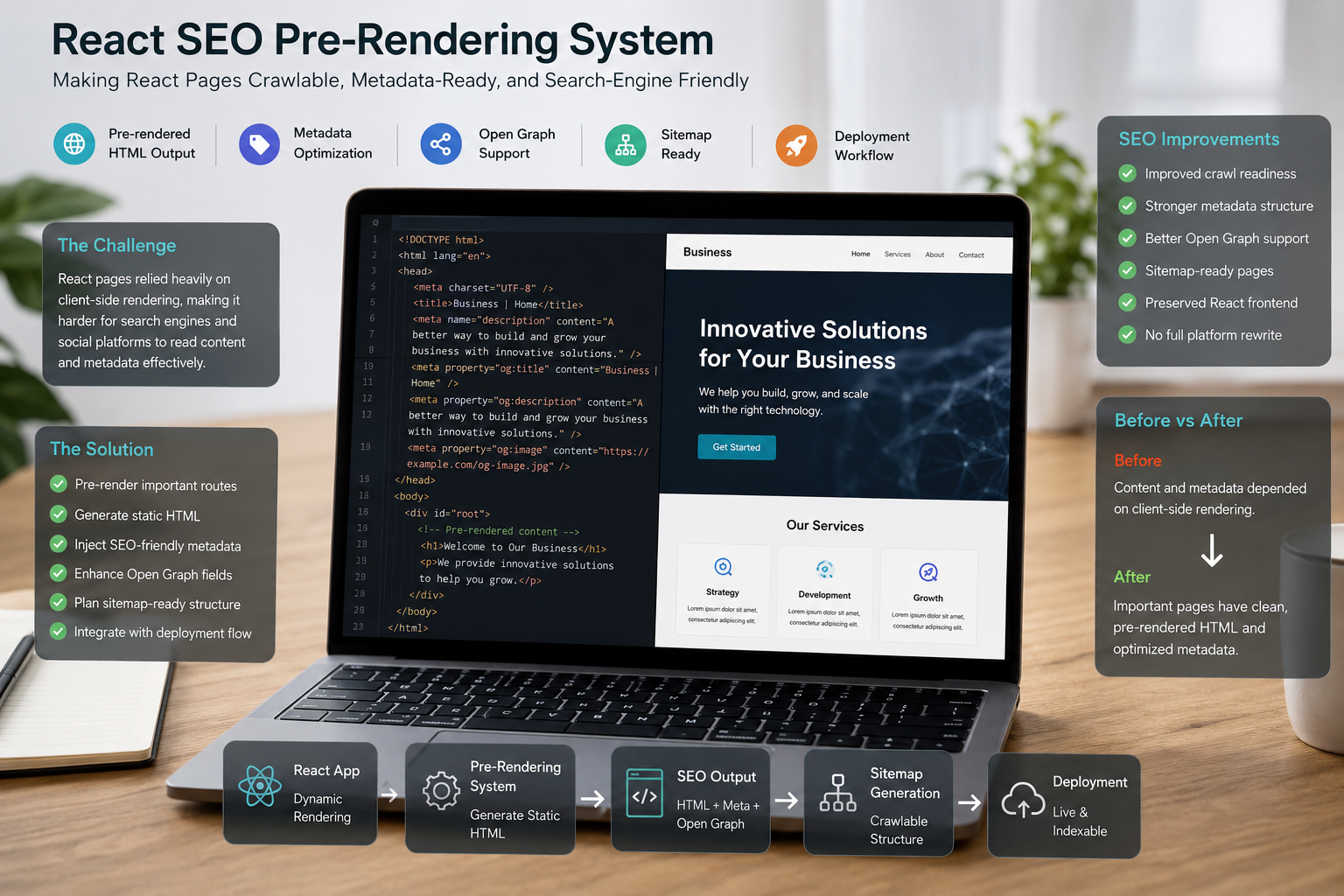
SEO is one of the biggest reasons I prefer Next.js for business websites. A basic client-side React app can create SEO challenges if search engines or social platforms do not get clear page content and metadata at the right time. Next.js gives better options for generating pages in a way that is easier to structure for search. For a business website, SEO is not only about keywords. It includes:
- Page titles
- Meta descriptions
- Open Graph data
- URL structure
- Internal linking
- Heading hierarchy
- Page speed
- Mobile usability
- Structured content
- Indexable pages
- Canonical handling
- Content architecture Next.js helps because SEO can be planned at the page and layout level. For example, each service page can have its own title, description, canonical URL, social preview content, and structured sections. Blog pages can have consistent metadata. Case studies can use clean routes and internal links. Landing pages can be built with focused content and technical control. This makes Next.js a strong option when organic search matters.
Routing Feels Clean and Scalable
Routing is the way pages and URLs are organized. For small websites, routing may not seem important. But as a site grows, poor URL structure becomes a problem. A business may start with:
- Home
- About
- Services
- Contact Then later add:
- Service detail pages
- Blog pages
- Case studies
- Industry pages
- Location pages
- Resource pages
- Landing pages
- Dashboard routes
- Account routes Next.js makes it easier to organize these routes cleanly. A good route structure can support both users and SEO. It helps visitors understand where they are. It helps search engines understand the relationship between pages. It also helps developers maintain the project. For example, a service business may use:
- /services
- /services/wordpress-development
- /services/nextjs-development
- /case-studies
- /case-studies/custom-dashboard-build
- /blog
- /blog/nextjs-business-websites This kind of structure feels simple, but it matters for long-term growth.
Performance Can Be Built Into the Architecture
Website performance is not only a technical score. It affects user experience, trust, and SEO. A slow website can make a business feel less professional. A slow web app can frustrate users. A slow landing page can reduce the chance that someone reads, clicks, or submits a form. Next.js gives developers useful ways to improve performance, such as:
- Static generation for pages that do not change often
- Server rendering for pages that need fresh data
- Image optimization patterns
- Code splitting
- Reusable layouts
- Component-based UI
- Better loading control
- Cleaner frontend architecture The exact setup depends on the project. A blog page may not need the same rendering strategy as a dashboard. A service page may be mostly static. A pricing page may need dynamic data. A user dashboard may need authentication and API calls. Next.js gives flexibility to choose the right approach for each type of page.
It Works Well for Marketing Websites and Web Apps
One reason I like Next.js is that it can support hybrid projects. Many businesses do not need only a website or only a web app. They need both. For example:
- A SaaS company needs a marketing website and a dashboard
- A service business needs landing pages and a client portal
- An ecommerce brand needs content pages and custom product experiences
- A consultant needs a content site and lead capture tools
- A startup needs a public website and private user functionality Next.js can support these different areas in one structured frontend. You can have public SEO-friendly pages and private app sections. You can have static content and dynamic user data. You can build landing pages and dashboards using shared design components. That makes the project easier to keep consistent.
Reusable Components Keep the Design Consistent
A modern business website should not be built page by page with random sections. It should use a design system. In React and Next.js, reusable components help keep the interface consistent. For example, you can create components for:
- Hero sections
- Service cards
- Case study cards
- FAQ sections
- CTA blocks
- Feature grids
- Pricing cards
- Blog cards
- Forms
- Navigation
- Footer sections
- Dashboard widgets This makes the website easier to maintain. If a CTA design changes, it can be updated in one component instead of manually editing every page. If a blog card layout changes, it can update across the site. If a service card needs a new field, the component can support that structure. Reusable components are not only a developer preference. They create a more consistent brand experience.
Next.js Works Well With a CMS
Business websites often need editable content. That content may come from:
- A headless CMS
- WordPress
- Shopify
- Markdown files
- A custom database
- Google Sheets
- Airtable
- Internal APIs Next.js can work with many content sources. This is useful when a business wants a custom frontend but still needs an easy way to manage content. For example, the website can use Next.js for frontend performance and design, while content comes from a CMS. This works especially well for:
- Blogs
- Case studies
- Service pages
- Product pages
- Resource libraries
- Help centers
- Documentation
- Team profiles
- Testimonials
- Landing pages The frontend can stay custom, while the content workflow stays manageable.
It Is Strong for SaaS and Dashboard Interfaces
Next.js is not only for public websites. It is also practical for web apps and dashboard interfaces. A SaaS platform or internal dashboard may need:
- Authentication
- Role-based access
- User-specific data
- Charts and tables
- Forms
- Settings pages
- Notifications
- API connections
- Billing pages
- Admin panels
- Responsive layouts Because Next.js is built on React, it works well for interactive interfaces. The same component-based approach that helps marketing pages also helps dashboard pages. This is useful when a business wants the public website and the app interface to feel connected. Instead of building a marketing website in one technology and a dashboard in a completely separate style, Next.js can help keep the experience more unified.
When Next.js May Not Be the Right Choice
Next.js is not automatically the best choice for every project. It may be more than needed if the website is very simple and will not grow much. For example, a small brochure website with five pages and no custom functionality may not need a full Next.js setup. It may also not be ideal if the client wants a fully visual drag-and-drop editing experience without development involvement. In that case, WordPress, Shopify, Webflow, or another CMS-first platform may be more suitable. The right choice depends on the project. Next.js is most useful when the website or web app needs a custom frontend, strong SEO planning, performance control, reusable components, API integrations, or future scalability.
Decision Point: Should You Choose Next.js?
Next.js may be a good fit if you need:
- A custom business website
- A modern React-based frontend
- SEO-friendly page structure
- Fast landing pages
- Reusable UI components
- CMS integration
- API connections
- SaaS dashboard pages
- User account areas
- Better routing control
- Strong technical SEO foundation
- Long-term scalability It may not be necessary if you only need:
- A very small static website
- A basic template-based site
- A simple blog with no custom features
- A store fully managed inside Shopify
- A visual CMS where non-technical users control every layout detail The question is not whether Next.js is powerful. The question is whether the project needs that power.
Practical Examples of Next.js Use Cases
Service Business Website
A service business can use Next.js for homepage sections, service detail pages, blog content, case studies, technical SEO, and lead generation forms. This works well when the website needs custom design and long-term SEO growth.
SaaS Marketing Website
A SaaS company can use Next.js for product pages, pricing pages, comparison pages, documentation previews, blog content, and signup flows. Later, the same frontend approach can support dashboard routes or user account pages.
Custom Dashboard
A business dashboard can use Next.js for data tables, filters, charts, role-based pages, settings screens, and API-connected workflows. This is useful when the product needs both a polished interface and strong frontend structure.
Headless Ecommerce Frontend
An ecommerce brand can use Next.js as a custom frontend connected to ecommerce data, CMS content, or product APIs. This is more advanced, but it can be useful when a store needs a unique shopping experience beyond a standard theme.
Next.js Still Needs Good Planning
Using Next.js does not automatically create a good website. The project still needs planning around:
- Content structure
- URL strategy
- SEO metadata
- Component design
- Mobile experience
- Image handling
- API architecture
- CMS workflow
- Accessibility
- Performance testing
- Deployment
- Maintenance A poorly planned Next.js project can still become messy. The value comes from combining the framework with good architecture, clear design, useful content, and practical business goals.
Need a Modern Website or Web App Built With Next.js?
If your business website needs more than a basic template, Next.js can be a strong foundation. Through React / Next.js Development, I can help build a modern website or web app with clean routing, reusable components, strong SEO structure, fast pages, CMS integration, and scalable frontend architecture. The goal is not just to use a modern framework. The goal is to build a website or application that supports the way your business actually works.
Final Recommendations
I prefer Next.js for modern business websites and web apps because it gives a strong balance of SEO, performance, structure, and flexibility. It is especially useful when a project needs:
- Custom design
- Strong SEO
- Fast pages
- Clean routing
- Scalable architecture
- CMS content
- API integrations
- Dashboard functionality
- Reusable UI components For a simple website, it may not always be necessary. But for a business that expects its website to grow, connect with tools, publish content, support users, or become more app-like over time, Next.js is often a practical choice. A good website should not only look modern. It should be structured to grow.
FAQ
Is Next.js good for business websites?
Yes. Next.js is useful for business websites that need strong SEO control, fast pages, reusable sections, clean routing, and the option to add more advanced features later. It works especially well when the website needs custom design, structured content, performance planning, and long-term scalability.
Is Next.js better than basic React for SEO?
Next.js is often better for SEO-focused websites because it provides stronger routing, page-level metadata, server rendering, and static generation options that basic client-side React does not handle by default. React is excellent for UI, but Next.js adds more website-level structure around it.
When should a business choose Next.js?
A business should consider Next.js when the website needs SEO, fast loading, custom design, scalable page structure, CMS integration, API connections, or app-like functionality. It is also useful when the project may grow from a marketing website into a more advanced web app.
Can Next.js be used for both websites and web apps?
Yes. Next.js can support marketing websites, landing pages, SaaS dashboards, customer portals, ecommerce frontends, internal tools, and hybrid website-app experiences. That flexibility is one of the main reasons it works well for modern business projects.
Does Next.js replace WordPress or Shopify?
Not always. Next.js can replace some traditional website builds, but it can also work with WordPress, Shopify, headless CMS platforms, APIs, and custom backend systems. The right setup depends on whether the business needs a CMS-first website, a custom frontend, an ecommerce platform, or a more advanced web application.