Identify the manual handoffs
Map triggers, data sources, destinations and the recurring work to automate.
Automation
Less repetitive work. More dependable connections.
I connect websites, applications, CRMs, payment systems, spreadsheets and third-party APIs so data and actions move reliably across your business. Automations include practical monitoring, retries and recovery paths, not just a successful happy-path demonstration.

Expected outcomes
Fewer repetitive tasks and manual handoffs
Consistent data across connected tools
Visible failures and recoverable workflows

Workflow Planning
Clear scope, reviewable milestones and practical validation at each stage.
Map triggers, data sources, destinations and the recurring work to automate.
Agree field mappings, permissions, duplicate handling and failure recovery.
Build API connections, webhooks and scheduled or background processing as required.
Validate retries, rate limits, invalid data and recovery, with operating documentation for your team.
Operational Benefits
Connect your tools, remove repetitive work and automate the movement of data and actions across your business.
Third-party API integrations. Webhooks and event-driven workflows.
CRM and ERP synchronization. Google Sheets workflows.
Background processing. Monitoring, retries and recovery.
Integration Stack
The stack is selected around your workflow, existing systems and operating constraints.
Node.js
REST APIs
Google Sheets
PostgreSQL
TypeScript
Webhooks
Git
WordPress

Strategic case studies
Anonymous case studies that show the systems, workflows, and full-stack implementation thinking behind real project work.
Multi-Brand Business Operations
A reusable frontend foundation reduced repeated build work while keeping each brand experience flexible.


Finance & Billing Software
A connected billing platform made finance activity easier to track, review, and manage.
View Case Study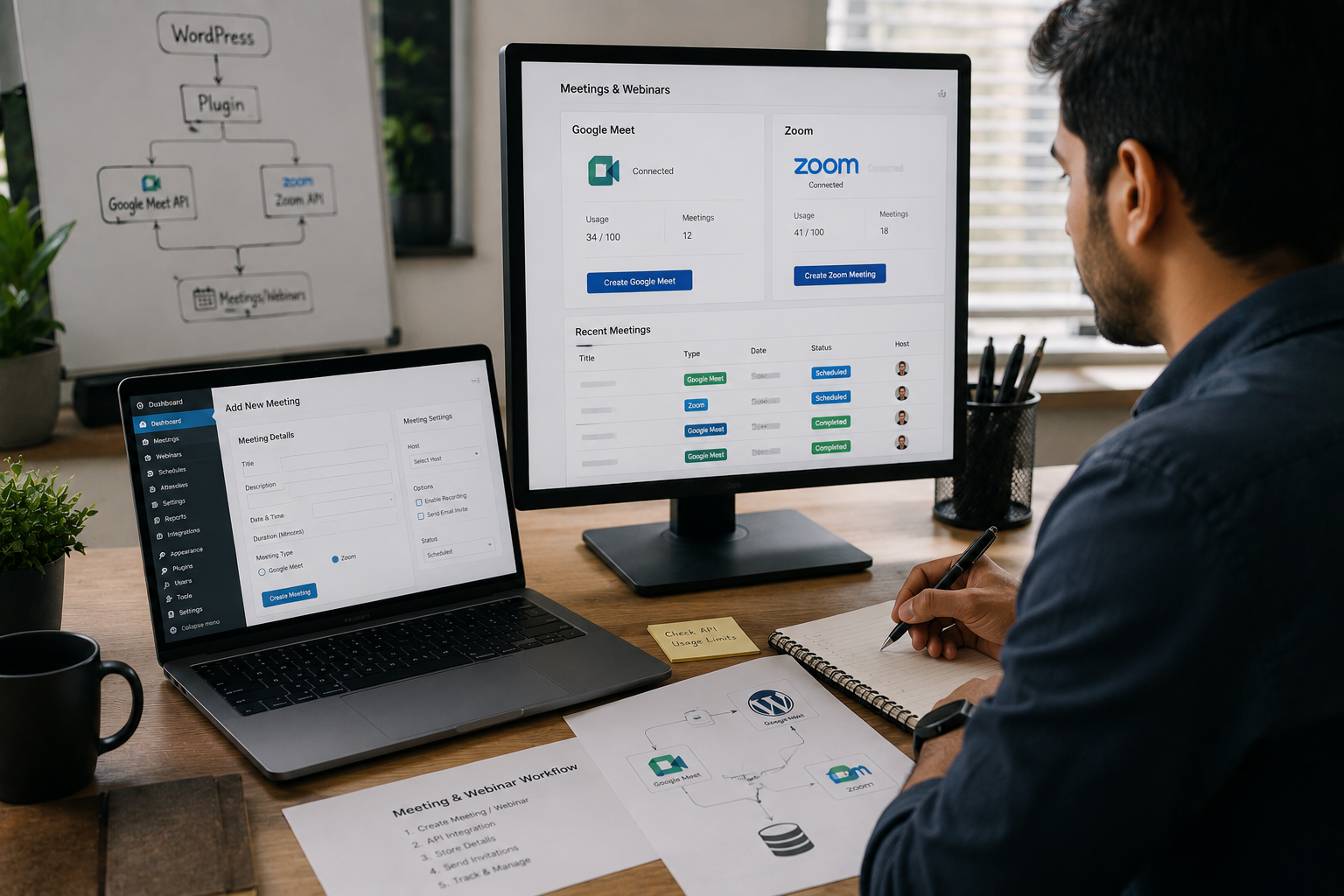
Online Education & Events
A custom plugin reduced repeated meeting setup and gave the team a cleaner webinar workflow.
View Case Study
SEO & Content Intelligence
A focused ML workflow made keyword opportunities easier to compare and act on.
View Case StudyInsights & Blogs
Practical notes on development, CMS, SEO, automation, and product workflows.

Your website looks stunning, but is it converting visitors into leads? Learn the critical design, UX, and technical SEO mistakes that silently hurt your business's revenue and trust.
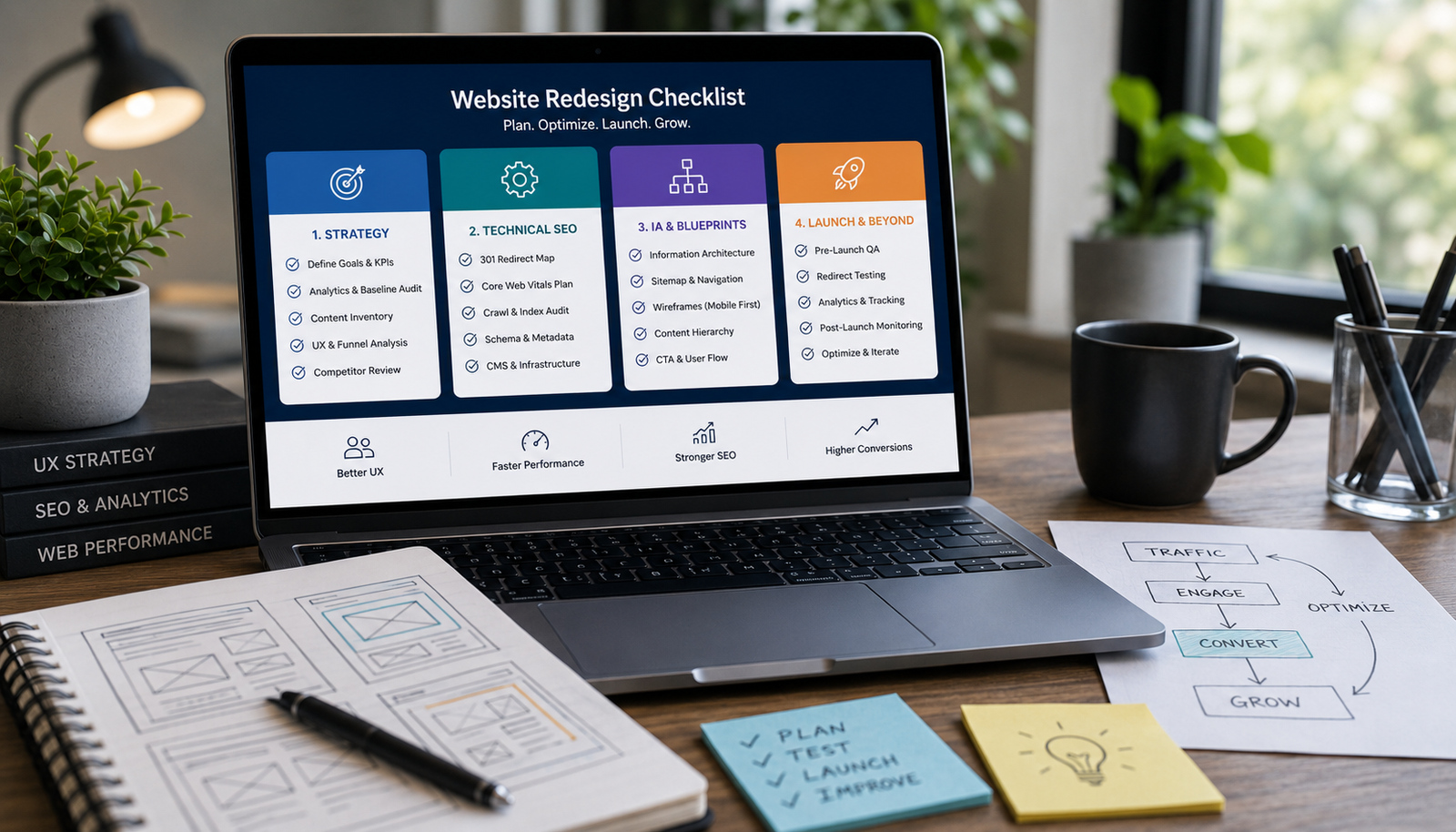
Avoid costly, risky redesigns. Use this essential 4-phase checklist covering strategic content audits, technical SEO migration, performance benchmarking, and wireframing before touching the UI.

Learn the practical steps to design a service website that looks high-end and trustworthy. Focus on strategic whitespace, clear messaging, structured layout, and conversion-focused trust signals.
FAQ
Clear answers before we start, so you can understand how the work is planned, built, and launched.
Yes. Sheets can act as an input, report or lightweight workflow interface where appropriate for the scale and access requirements.
The design includes suitable retries, logging, alerts and manual recovery, based on the criticality of each workflow.
Either can fit. The choice depends on complexity, reliability, ongoing costs and how much control your business needs.