Article
Stop compromising speed and security; understand the specific categories of generic plugins that create unnecessary technical debt for serious business platforms.
Which WordPress plugins are sabotaging your site's performance and security? Discover the essential strategies for building a faster, more reliable platform for your business.
The WordPress Plugin Stack I Avoid for Serious Business Websites
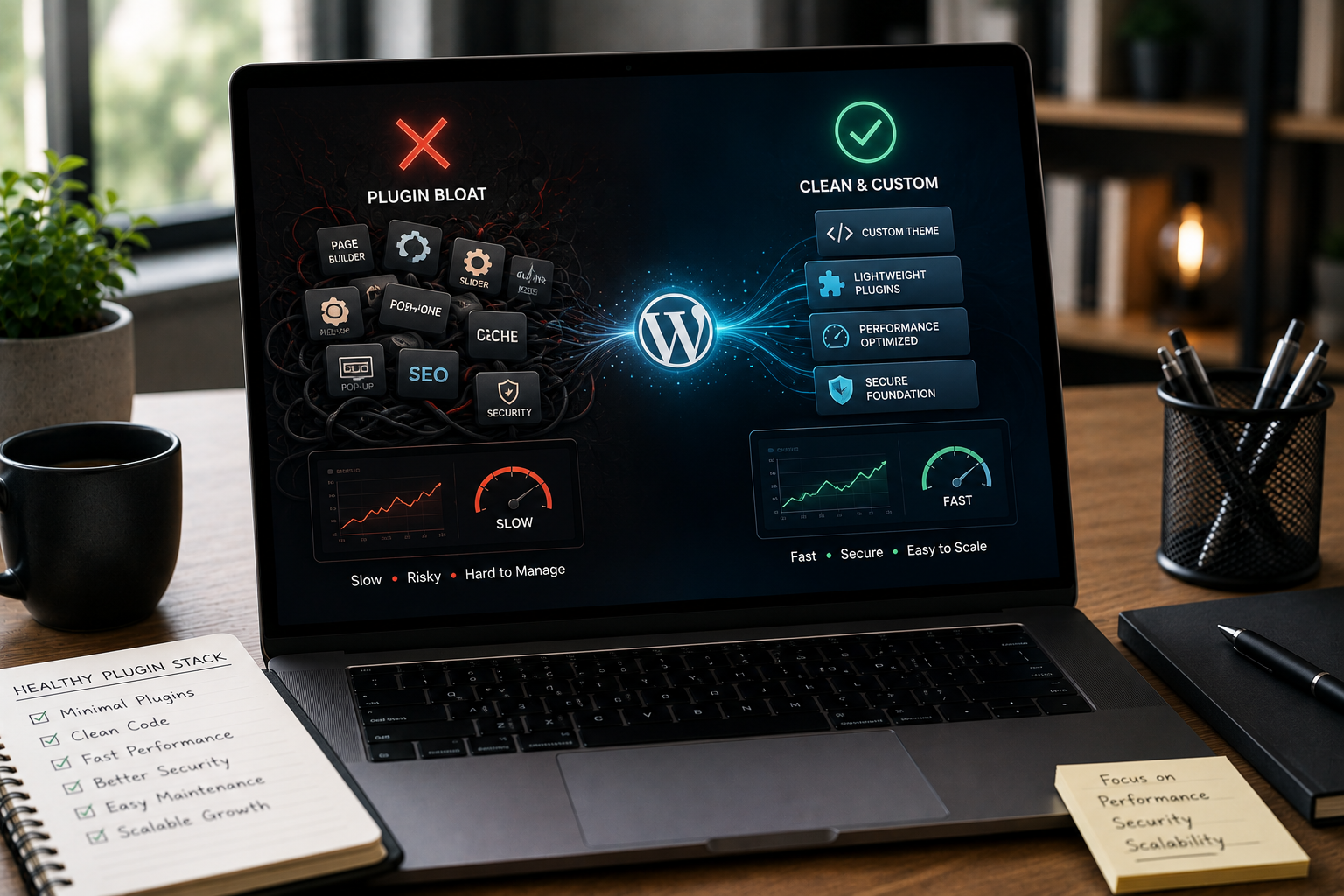
For a professional business, an ecommerce brand, or a high-growth SaaS platform, your website is not a hobby—it is a core engine for lead generation, sales, and reputation. Speed, security, and stability are non-negotiable foundations for this engine. Yet, many businesses unintentionally compromise these foundations by relying on a stack of generic WordPress plugins that introduce significant technical debt, often referred to as "plugin bloat." At HKrafted, our approach to WordPress Development is simple: build a lightweight, custom-engineered platform that serves only your business goals. This involves aggressively avoiding plugin categories that promise quick fixes but deliver long-term problems. This technical explainer outlines the three primary categories of plugins we steer clear of for serious business websites and provides actionable alternatives that improve performance, SEO, and maintainability.
1. The Heavyweight Visual Page Builders
Visual page builders are the most common source of code bloat and performance degradation on modern WordPress sites. While they offer non-developers a convenient drag-and-drop interface, this ease comes at a high technical cost.
The Problem: Non-Semantic Code and Performance Drag
Page builders operate by generating complex, nested div structures and injecting massive amounts of CSS and JavaScript on every page—regardless of whether that code is actually used.
- Code Bloat: The resulting markup is often non-semantic and inefficient, making the page heavier and slower to load. This directly harms your Core Web Vitals scores.
- Vendor Lock-In: Your content becomes inextricably tied to the builder's proprietary shortcodes or data structure. If you ever decide to remove the builder, your pages collapse into unusable code soup.
- Maintenance Overhead: Updating the builder or any of its associated add-ons introduces frequent, complex conflicts that require constant, expensive maintenance and troubleshooting. For serious businesses competing on SEO and user experience, this drag is simply unacceptable.
The HKrafted Alternative: Modern Custom Blocks and Headless Architecture
The optimal alternative depends on your needs:
- Leverage Gutenberg (for Marketing Sites): The native WordPress block editor is significantly lighter and generates cleaner HTML. We use the Gutenberg framework to develop custom blocks that provide the exact design control a client needs without the overhead of a full-scale page builder.
- Custom React/Next.js Frontends (for High-Scale SaaS/eCommerce): For platforms where performance is paramount, we decouple WordPress entirely, using it only as a CMS (a 'headless' approach). The frontend is built using modern frameworks like React or Next.js, communicating via API. This delivers unparalleled speed, superior SEO engineering control, and complete freedom from plugin-level bloat.
2. Multi-Purpose, All-in-One Utility Suites
These plugins attempt to be everything to everyone, bundling dozens of small features—from image optimization and caching to security checks and database cleaning—into a single massive package.
The Problem: Feature Overload and Dependency Hell
When you install a 5MB 'utility suite,' you load code for 50 features, even if you only use three.
- Dependency Bloat: Each module within the suite contributes to overall system complexity. This increases the likelihood of security vulnerabilities and conflict with other essential plugins (like WooCommerce extensions or bespoke integrations).
- Ineffective Optimization: General-purpose optimization features rarely outperform dedicated, lean solutions. For instance, a dedicated caching solution is almost always superior to a caching module bundled within a large, all-in-one plugin.
- Lack of Specificity: Businesses often require highly specific solutions (e.g., integrating a unique inventory API). These generic tools force a rigid, one-size-fits-all approach that stifles growth and customization.
The HKrafted Alternative: The Lightweight Micro-Plugin Stack
Instead of an all-in-one suite, a serious business stack should consist of a few, highly focused micro-plugins.
| Task | Plugin-Bloat Approach (Avoid) | Lightweight Micro-Plugin Strategy (Recommend) |
|---|---|---|
| Caching | All-in-one suite module | Dedicated server-side caching or a specialized, lightweight solution. |
| SEO | Bloated free SEO tool with 100 features | Dedicated technical SEO plugin paired with bespoke schema markup. |
| Security | Firewall, malware scanner, and log viewer bundled | Server-level protection and a single, focused plugin for two-factor authentication. |
| Image Optimization | Server-based lazy loading and resizing | CDN-based service (like Cloudflare) handling optimization at the edge. |
| The principle here is to decouple: use custom development and external services to manage critical functions, ensuring you only load the code you absolutely need. |
3. Generic Frontend Functionality Plugins
This category includes plugins for features like pop-ups, complex contact forms, cookie consent banners, social media feeds, and sliders.
The Problem: Resource Hogs and UX Barriers
While these features seem harmless, they often introduce significant frontend performance issues and poor user experiences (UX) if not implemented correctly.
- The Pop-up Tax: Pop-up plugins typically load heavy JavaScript libraries on every page, impacting load time and annoying visitors. Aggressive pop-ups can also negatively affect your SEO rankings.
- Unnecessary Dependencies: A simple contact form doesn't need a plugin that ships with a payment gateway, email marketing integration, and 40 different field types. Each unused feature is wasted resource consumption.
- Design & Brand Inconsistency: Generic frontend elements often look exactly that—generic. They fail to align with a cohesive brand experience, diminishing trust and conversion rates.
The HKrafted Alternative: Custom-Coded Components
When a business requires specialized frontend functionality, we build it directly into the theme or use a custom WordPress Plugin Development approach.
- Forms: We integrate lightweight form libraries or create custom API-driven forms that integrate directly with your CRM or dashboard, avoiding bloated form builders.
- Notifications: Simple, native JavaScript components are used for cookie consent or promotional banners, minimizing the impact on page load speed.
- Sliding/Interactive Elements: If necessary, we implement modern, accessible components built with React or vanilla JavaScript, ensuring they only load when and where they are required.
Checklist: Is Your Plugin Stack a Liability?
If you are a Founder or Business Owner, use this checklist to audit your existing WordPress installation:
- Score: Does your site use a large, all-in-one page builder? (High Liability)
- Score: Do you have more than one plugin performing the same task (e.g., two different SEO or caching plugins)? (High Liability)
- Score: Have you audited your site's speed with PageSpeed Insights and found poor Core Web Vitals scores related to third-party scripts? (High Liability)
- Score: Are you using any plugins that haven't been updated in over six months? (Extreme Security Risk)
- Score: When you disable a plugin, does a significant portion of your site break (Vendor Lock-In)? (High Liability) The core message is that custom-built is always faster, leaner, and safer than generic. Every plugin you install is a liability—a dependency you cannot control. For serious business websites, mitigating liabilities is part of the growth strategy.
Ready to Ditch the Bloat and Future-Proof Your Platform?
If your current WordPress website is struggling with slow speeds, frustrating conflicts, and an ever-growing list of required maintenance tasks, it's time to re-engineer its foundation. At HKrafted, we specialize in high-performance WordPress Development and SEO Engineering & Technical SEO. We move businesses away from fragile, bloated plugin stacks toward custom, modern solutions designed for:
- Maximum speed and Core Web Vitals compliance.
- Ironclad security and minimal third-party dependencies.
- Clean code optimized for conversion and search engine indexability. Take the Next Step: Stop managing liabilities and start growing your business. [CTA: Build a High-Performance, Secure WordPress Foundation] Let's engineer a lightweight, custom-coded WordPress site built for speed, SEO, and long-term reliability.
Frequently Asked Questions
What is 'plugin bloat' in WordPress?
Plugin bloat refers to the accumulation of numerous or poorly coded plugins that inject excessive, often unnecessary, code and assets into the website. This increases load times, degrades user experience, and complicates maintenance.
Why should I avoid visual page builders for a business website?
While convenient, most visual page builders generate excessive, non-semantic markup. This 'code bloat' slows down performance, makes the site harder to maintain, and complicates technical SEO efforts, all of which are critical for a serious business platform.
How does custom WordPress development solve plugin dependency issues?
Custom development replaces the need for large, multi-purpose plugins by coding only the specific features required. This results in cleaner, faster, and more secure code that is easier to maintain and update over time, eliminating dependency on third-party developers.
Are all free WordPress plugins unsafe?
No, but free plugins often lack professional support, receive infrequent security updates, and may be abandoned by their developers, creating a long-term security and compatibility risk for a business-critical website.
What are the main benefits of a headless WordPress setup?
A headless WordPress setup (where the front-end is decoupled using frameworks like React or Next.js) delivers superior performance, better security by isolating the CMS, and greater flexibility for developers to build highly customized, fast user interfaces.
How often should a business audit its WordPress plugin stack?
A serious business website should undergo a comprehensive technical audit of its plugin stack and performance metrics at least twice a year, or immediately following any major site redesign or migration.